
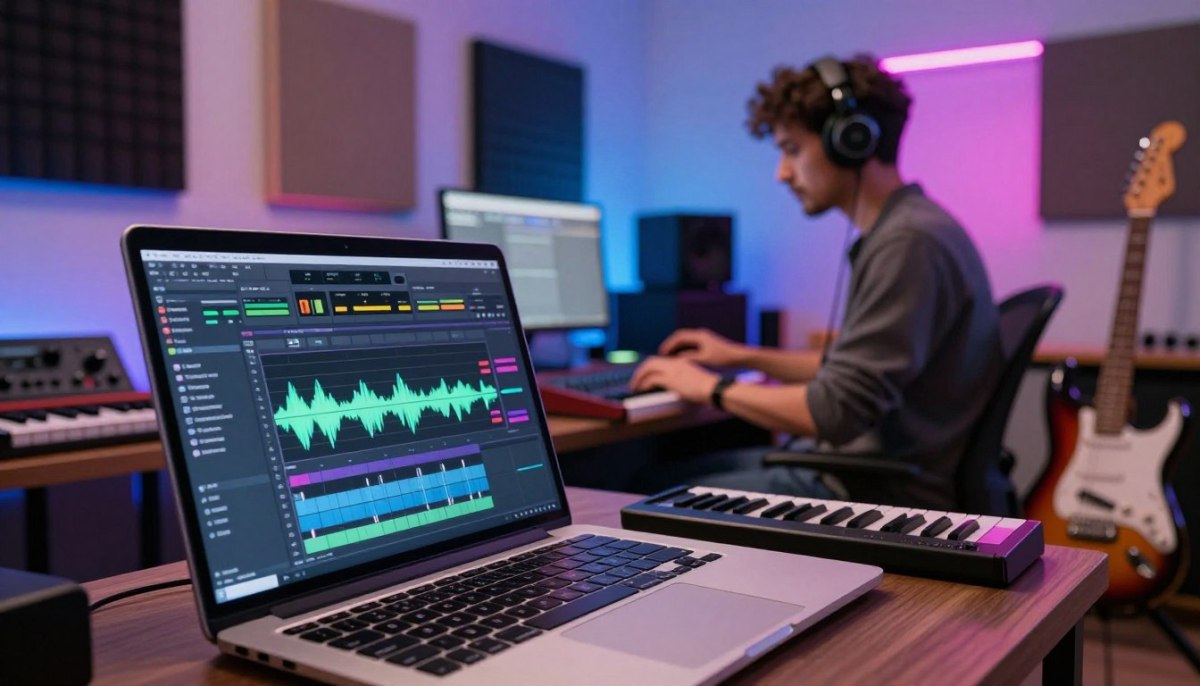
Creating music with AI has become increasingly popular, and Suno prompts are at the forefront of this revolution. These prompts are essential for guiding AI music production, enabling artists to produce high-quality tracks that meet their creative vision.
Effective Suno prompts are more than just descriptive phrases; they are blueprints that define the structure, balance, and behavior of a track. By crafting well-designed prompts, musicians can achieve AI music production results that are both professional and consistent.
For those looking to elevate their music production, understanding how to create effective music prompt blueprints is crucial. This article will delve into the world of Suno prompts, providing insights and practical tips to help you unleash your creativity.
Key Takeaways
- Crafting effective Suno prompts is crucial for achieving professional AI music production results.
- Music prompt blueprints help define the structure and behavior of a track, leading to more consistent outcomes.
- Understanding the elements of a well-designed prompt can elevate your music production.
- Expert-level Suno prompts communicate production intent through concrete parameters.
- Practical application of Suno prompts can streamline your creative process.
Quick Outcome: Transform Your Production Game
The key to revolutionizing your production game lies in mastering the art of genre-authentic arrangement and spectral balance with Suno prompts. By focusing on these critical elements, you can significantly enhance the quality of your music productions.
To achieve a professional sound, it’s crucial to understand the importance of spectral balance in your tracks. Spectral balance refers to the distribution of energy across different frequencies in your audio. A well-balanced spectrum ensures that your music sounds clear and pleasing across various playback systems.
Studio-Quality Spectral Balance
Achieving studio-quality spectral balance involves managing the transients and frequency response in your tracks. By using Suno prompts effectively, you can create a balanced sound that resonates with listeners. This involves paying attention to the low end, ensuring it’s tight and controlled, while maintaining clarity in the high frequencies.

One of the key aspects of spectral balance is managing the headroom in your mix. Headroom refers to the amount of space between the average signal level and the maximum level before distortion occurs. Maintaining adequate headroom is essential for preventing your tracks from sounding fatigued or distorted.
Genre-Authentic Arrangement Architecture
Genre-authentic arrangement is about creating a structure that fits the specific genre you’re working in. This involves understanding the typical characteristics, such as the rhythmic pocket, instrumentation, and harmonic elements associated with that genre. Suno prompts can guide you in crafting arrangements that are authentic and engaging.
To create a genre-authentic arrangement, it’s essential to pay attention to the pocket and swing in your rhythm section. The pocket refers to the feel and groove of the rhythm, while swing relates to the subtle deviation in the timing that adds human feel to your tracks. By adjusting these elements, you can create a more authentic and captivating sound.
Producer Spec Sheet: The Best Suno Prompts Breakdown
Crafting the perfect Suno prompt is akin to creating a detailed producer spec sheet, where every element counts towards achieving professional-sounding tracks. A well-structured prompt is the foundation upon which high-quality music is built, ensuring that the final product meets the desired standards.
Essential Prompt Components for Headroom
Headroom in music production refers to the amount of space between the average signal level and the maximum signal level that a system can handle before distortion occurs. To achieve optimal headroom in Suno prompts, it’s crucial to specify the desired dynamic range and peak levels. For instance, a prompt might include instructions to maintain a dynamic range of at least 15 dB to ensure that the output has sufficient headroom for mastering.
Additionally, specifying the peak limitation can help prevent sudden transients from causing distortion. This can be achieved by including terms like “soft clipping” or “peak limiting” in the prompt, guiding the AI to manage transient peaks effectively.

AI Music Prompt Mastery Pack is a true game-changer for producer-grade AI music: it gives you ready-to-use prompt blueprints that enforce structure, roles, and clean separation. No theory marathon—just copy, paste, adjust the feel, and move. View on Etsy.
Technical Vocabulary for Transient Control
Transient control is vital for maintaining the clarity and definition of individual elements within a mix. Using technical vocabulary related to transient shaping can help Suno understand the desired level of attack and decay for different instruments. Terms such as transient enhancement or transient reduction can be used to guide the AI in shaping the transients according to the producer’s vision.
For example, a prompt might instruct Suno to apply aggressive transient enhancement to the drums to make them stand out in the mix, or to use gentle transient reduction on the vocals to smooth out the onset.
Structural Elements for Mono-Safe Low End
Ensuring that the low end is mono-safe is crucial for maintaining compatibility across different playback systems. To achieve this, Suno prompts can include instructions related to the low-end roll-off and mono compatibility. Specifying that the low end should be “mono-safe” or “phase-coherent” can help the AI generate a low end that translates well on both stereo and mono systems.
For more information on crafting effective Suno prompts, you can refer to our comprehensive guide on Suno Prompts, which provides detailed insights into optimizing your prompts for the best results.
Base Prompt: Your Blueprint Foundation
The base prompt is the blueprint that guides your music production, influencing every aspect of the final output. A well-structured base prompt is essential for achieving high-quality results in your music production endeavors.
To create an effective base prompt, you need to consider several key elements. These include core structure with saturation parameters, which provide the foundation for your sound. Saturation parameters play a crucial role in shaping the overall tone and character of your music.
Core Structure with Saturation Parameters
Defining the core structure involves setting the right saturation parameters to achieve the desired sound. This includes adjusting levels of warmth, brightness, and depth to create a balanced audio spectrum. For instance, adjusting the saturation levels can significantly impact the overall warmth and presence of your tracks.

Genre-Specific Harmonic Glue
Harmonic glue refers to the elements that bind your track together, creating a cohesive sound. Different genres require specific types of harmonic glue to achieve authenticity. For example, in electronic dance music (EDM), harmonic glue often involves the use of layered synthesizers and carefully tuned EQ settings to create a unified sound.
To learn more about improving your AI-generated music tracks, check out this AI music quality checklist for practical steps to evaluate and enhance your productions.
Arrangement Dynamics and Pocket Control
Arrangement dynamics involve the strategic placement of elements within your track to create a compelling narrative. This includes building tension, releasing energy, and maintaining listener interest throughout the track. Pocket control refers to the precision with which your rhythm section is aligned, ensuring that the groove feels tight and consistent.
By mastering arrangement dynamics and pocket control, you can significantly enhance the overall impact of your music productions. This involves paying close attention to the interaction between different elements and making adjustments to create a cohesive, engaging sound.
3 Variations: Expanding Your Sonic Palette
Creating multiple variations of your base prompt can significantly enrich your musical compositions. By exploring different dimensions of your initial idea, you can uncover a wider range of emotional expressions and sonic textures.
Emotional Intensity Variation with Transient Shaping
Transient shaping is a powerful technique for varying the emotional intensity of your music. By adjusting the attack and decay of different elements, you can create a more dynamic and engaging listening experience. For instance, a sharper attack can add a sense of urgency, while a longer decay can create a feeling of space and ambiance.
To effectively use transient shaping, consider the role of different instruments in your composition. For example, drums and percussion elements often benefit from a strong, defined attack to cut through the mix, while pads and ambient textures might have a softer attack to blend into the background.

Instrumentation Texture with Spectral Balance
The texture of your instrumentation is greatly influenced by the spectral balance of your mix. Achieving a balanced distribution of frequencies across the spectrum ensures that each element has its own space, contributing to a rich and layered sound. To enhance instrumentation texture, focus on carving out specific frequency ranges for different instruments, avoiding frequency masking and creating a clear sonic landscape.
For more insights on making AI vocals sound human, check out our guide on how to humanize AI vocals, which provides valuable tips on enhancing vocal performances.
| Frequency Range | Instrumentation | Spectral Balance Tip |
|---|---|---|
| Low End (20Hz – 200Hz) | Bass, Kick Drum | Use EQ to carve out space for the kick and bass, ensuring they don’t clash. |
| Midrange (200Hz – 2kHz) | Guitars, Vocals | Boost around 1kHz to add warmth to vocals and guitars. |
| High End (2kHz – 20kHz) | Cymbals, High Hats | Be cautious with high-end boosts to avoid harshness. |
Structural Flow with Transition Enhancement
Transition enhancement is crucial for maintaining the structural flow of your music. Smooth transitions between different sections of your track keep the listener engaged and the narrative coherent. Techniques such as using transitional elements (e.g., risers, falls), adjusting the energy levels between sections, and ensuring harmonic coherence can significantly enhance the overall flow.
By applying these techniques, you can create a more cohesive and engaging musical journey. For example, using a riser before a drop can build anticipation, while a well-timed fall can smoothly transition into a quieter section.
5 Knobs: Fine-Tune Your Production
Mastering the art of music production requires precision, and the “5 Knobs” offer a powerful toolset for achieving professional-grade sound. These knobs provide producers with the ability to make subtle yet impactful adjustments to their tracks, elevating the overall quality of their music.
Spectral Balance Adjustment
Achieving the perfect spectral balance is crucial for a mix that sounds clear and engaging across various playback systems. This involves adjusting the frequency spectrum to ensure that no single range overpowers the others.
Mid-Range Presence Control
The mid-range frequencies are critical for adding warmth and body to your tracks. Adjusting the mid-range presence can help bring your instruments and vocals to the forefront of the mix.
High-End Air Manipulation
High-end frequencies add clarity and definition to your mix. By manipulating these frequencies, producers can create a sense of airiness and openness, making their tracks sound more expansive.
Dynamic Range Shaping
Dynamic range refers to the difference between the loudest and quietest parts of your track. Shaping this range is essential for creating a mix that is both engaging and well-balanced.
Transient Impact Refinement
Refining the transient impact of your instruments can add punch and energy to your mix. This involves adjusting the initial attack of your sounds to make them more compelling.
Sustain and Release Tailoring
Tailoring the sustain and release of your sounds can enhance their overall character. By adjusting these parameters, producers can create a more cohesive and polished sound.
Rhythmic Pocket and Swing
The rhythmic pocket and swing are vital elements that contribute to the groove and feel of your track. Adjusting these aspects can make your music more engaging and danceable.
Groove Depth Parameters
Groove depth parameters allow producers to add complexity and interest to their rhythms. By adjusting these settings, you can create a more dynamic and captivating musical experience.
Timing Nuance Adjustments
Making subtle adjustments to the timing of your tracks can enhance their overall feel. This involves fine-tuning the rhythmic elements to create a more natural and human-like performance.
Harmonic Saturation and Glue
Harmonic saturation adds warmth and character to your mix, while harmonic glue helps to bind the different elements together. Adjusting these parameters can enhance the overall cohesion of your track.
Warmth Density Control
Controlling the warmth density of your mix can add depth and richness to your sound. This involves adjusting the harmonic content to create a more pleasing and engaging listening experience.
Cohesion Enhancement Techniques
Using cohesion enhancement techniques can help to create a more unified and polished mix. This involves applying subtle processing to tie the different elements of your track together.
Spatial Depth and Width
Creating a sense of spatial depth and width is essential for making your mix sound expansive and immersive. This involves adjusting various parameters to create a sense of distance and width in your mix.
Stereo Field Expansion
Expanding the stereo field can make your mix sound more engaging and spacious. This involves adjusting the spatial imaging of your tracks to create a wider and more immersive soundstage.
Depth Layering Strategies
Using depth layering strategies can help to create a sense of distance and dimensionality in your mix. This involves arranging your sounds in a way that creates a clear sense of depth and hierarchy.
Troubleshooting: Perfect Your Suno Results
When working with Suno prompts, achieving the perfect result can be challenging, but with the right troubleshooting techniques, you can overcome common issues. Suno prompts are designed to help you create high-quality music, but like any production tool, they require a bit of fine-tuning to get the best results.
Muddy Low End Fixes
A muddy low end can ruin an otherwise great track. To fix this, try adjusting the EQ settings to reduce the low-frequency range. You can also use multiband compression to control the dynamics of the low end. For more information on starting a music channel, check out this guide on how to start a YouTube music.
Harsh Transient Solutions
Harsh transients can be distracting and unpleasant. To soften them, use transient shaping plugins to adjust the attack and release of your sounds. You can also try gentle compression to even out the dynamics.
Arrangement Balance Techniques
A balanced arrangement is crucial for a great-sounding track. To achieve this, try panning instruments to create space in the mix. Use EQ to carve out frequencies for each instrument, ensuring they don’t clash.
Transition Enhancement Methods
Smooth transitions between sections can make or break a track. To enhance transitions, use automation to create gradual changes in volume, filter cutoff, or other parameters. You can also try using transitional effects like risers or falls to add excitement.
Frequency Masking Elimination
Frequency masking occurs when two or more instruments occupy the same frequency range, causing a muddy mix. To eliminate this, use spectral analysis tools to identify clashing frequencies. Then, use EQ to carve out space for each instrument.
Stereo Image Enhancement
A wide and engaging stereo image can elevate your track. To enhance it, try using stereo widener plugins to expand the soundstage. You can also use mid-side processing to adjust the balance between the center and sides of the mix.
Dynamic Consistency Strategies
Maintaining dynamic consistency is key to a professional-sounding mix. To achieve this, use compression to control the dynamics of your tracks. You can also try limiting to prevent peaks and maintain a healthy headroom.
Rhythmic Alignment Refinement
Rhythmic alignment is crucial for a tight and cohesive mix. To refine it, use quantization to align your tracks to the grid. You can also try humanizing your rhythms to add a touch of imperfection.
Genre Coherence Improvement
To ensure your track fits within a specific genre, use reference tracks to guide your production. Pay attention to the characteristic elements of the genre, such as instrumentation, rhythm, and production techniques.
Headroom Optimization Tactics
Maintaining sufficient headroom is essential for a clean and distortion-free mix. To optimize headroom, use gain staging to manage the levels of your tracks. Keep your mix bus levels under control to prevent clipping.
Conclusion: Master Your AI Music Production
Mastering Suno prompts is a crucial step in elevating your AI music production skills. By understanding the intricacies of prompt crafting, you can unlock consistent, high-quality results that resonate with your audience.
The techniques discussed, from base prompt structures to fine-tuning with the 5 Knobs, provide a comprehensive framework for achieving producer-grade outcomes. Whether you’re looking to enhance spectral balance, control dynamics, or perfect your arrangement, the right prompts can make all the difference.
For those seeking to take their AI music production to the next level, the AI Music Prompt Mastery Pack offers a library of copy/paste prompt blueprints designed for consistent results in Suno. This resource is tailored to help you master Suno prompts and streamline your production workflow.
By integrating these advanced prompts into your creative process, you’ll be well on your way to producing AI music that stands out. Start refining your skills today and discover the full potential of AI music production.